Understanding Your Internet Speed
In today's interconnected world, a reliable internet connection is fundamental. But what do terms like download speed, upload speed, and latency truly signify for your daily online activities? ShieldCheck demystifies these metrics, providing clarity on how they impact everything from streaming your favorite shows to video conferencing with colleagues.
Download speed dictates how quickly you can retrieve data from the internet, crucial for smooth video playback and rapid file downloads. Upload speed, conversely, governs how fast you send data, essential for sharing large files or participating in video calls. Latency, often overlooked, measures the delay before a data transfer begins – lower latency means more responsive online gaming and seamless real-time interactions.
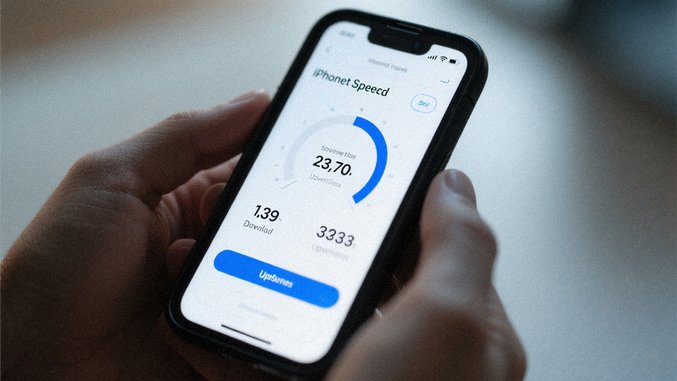
ShieldCheck offers precise measurements of these parameters directly from your iOS device. Our tool is designed to give you an accurate snapshot of your internet performance, helping you understand if you're truly getting the speed you're paying for. With this insight, you can identify potential bottlenecks and ensure your online experience is as fluid as it should be.
Average Download Speed
50-100 Mbps
Typical Latency
20-50 ms
How ShieldCheck Measures Speed
ShieldCheck’s approach to internet speed testing is rooted in precision and privacy. Unlike web-based tests that can be influenced by browser performance or server load, our iOS application performs direct, on-device measurements. This ensures that the data you receive accurately reflects your device's connection to the internet, free from external variables.
Our process is straightforward and transparent:
-
Initiate Test
With a single tap, ShieldCheck begins its assessment. The app establishes a secure connection to a dedicated speed test server, chosen for its reliability and proximity to minimize latency interference.
-
Download Speed Analysis
The app downloads a series of data packets, meticulously measuring the time taken to complete the transfer. This process is repeated multiple times to ensure consistency and accuracy, providing you with a robust download speed reading.
-
Upload Speed Analysis
Following the download test, ShieldCheck sends data packets from your device to the server. This step quantifies your upload capacity, crucial for activities like video calls, cloud backups, and sharing large files.
-
Latency Measurement
Concurrently, the app measures the round-trip time for small data packets to travel to the server and back. This "ping" rate indicates your connection's responsiveness, a key factor for real-time applications.
-
Results Display
Upon completion, ShieldCheck presents your download speed, upload speed, and latency in a clear, easy-to-understand format. These results are generated entirely on your device; no personal data or test results are transmitted or stored externally, upholding our commitment to your privacy.
This meticulous, local process guarantees that the speed insights you gain from ShieldCheck are not only accurate but also completely private, empowering you to understand and optimize your internet performance with confidence.
Tips for Improving Connection Stability
A fast internet speed test result is great, but a stable connection is what truly defines a seamless online experience. ShieldCheck goes beyond just measuring your speed; it empowers you with practical, actionable advice to enhance your connection's reliability. Many factors can subtly degrade your internet performance, from the physical placement of your router to unseen network interference. Understanding these nuances can transform a frustrating, intermittent connection into a consistently smooth one.
Our recommendations are designed to be easy to implement, focusing on common issues that users encounter. You don't need to be a network engineer to optimize your home setup. ShieldCheck helps you identify potential weak points and offers clear guidance on how to strengthen them, ensuring you get the most out of your internet service provider's promise.
Router Placement Matters
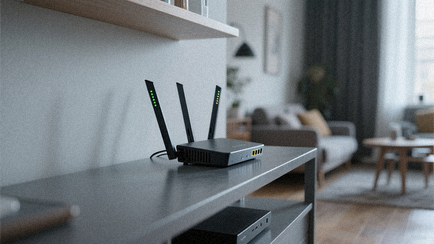
The location of your Wi-Fi router significantly impacts signal strength and coverage. Centralizing your router, elevating it, and keeping it away from obstructions like thick walls or large appliances can dramatically improve your Wi-Fi signal throughout your home.

Minimize Wi-Fi Interference
Everyday household devices, from microwaves to cordless phones, can interfere with your Wi-Fi signal. ShieldCheck helps you understand how to identify and mitigate these interferences, perhaps by changing your router's channel or moving interfering devices.
Optimize Network Settings
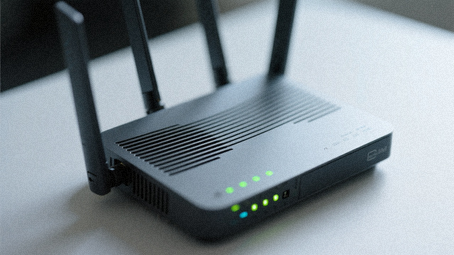
Sometimes, a few tweaks in your router's settings can unlock better performance. This might include ensuring your router's firmware is up to date, enabling Quality of Service (QoS) for priority applications, or using the optimal Wi-Fi band (2.4GHz vs. 5GHz) for different devices.
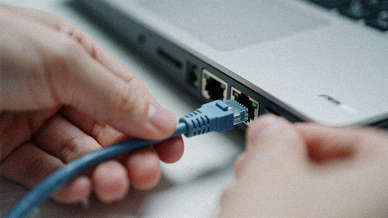
Consider Wired Connections
For devices that demand the most stable and fastest connection, such as gaming consoles or desktop computers, a direct Ethernet connection can bypass Wi-Fi limitations entirely, offering superior speed and reliability.
By implementing these simple yet effective strategies, you can transform your internet experience. ShieldCheck empowers you with the knowledge to not just measure your connection, but to actively improve it, ensuring your digital life runs smoothly and without interruption. For more comprehensive insights into your network's health, explore our Wi-Fi Security section.
Get the Most Out of Your Internet
Your internet connection is the backbone of your digital life. ShieldCheck empowers you to not only understand its performance but to actively optimize it. We believe that knowing your true internet speed and stability is the first step towards a consistently smooth online experience, free from buffering and frustrating delays.
With ShieldCheck, you gain a clear, unbiased perspective on your connection. Our accurate, on-device speed tests reveal the real numbers, while our practical tips guide you in resolving common issues that might be holding you back. This isn't just about numbers; it's about unlocking the full potential of your internet service, ensuring every stream, every call, and every download is as efficient as it should be.
Take control of your online world. Download ShieldCheck today and transform your internet experience from uncertain to optimized. It's time to get the performance you deserve.